Your product. An expert inside it.
Embed Obi inside your software so every customer has your product expert at their side when they start, with every new feature they adopt, and every moment they get stuck. One agent, the whole lifecycle.
Customers need help long after signup. Obi delivers it.
Day one starts with the Onboarding Agent. Obi greets each new user by name, walks them through their most important workflow, and gets them to first value in a single session, not weeks of self-service trial and error.
Onboarding
When a new user lands, Obi greets them by name, walks them through the workflow that matters most for their account, and gets them to first value in a single session - not three weeks of self-service trial and error.
Feature adoption
When you ship a new feature, Obi explains it in context the moment a relevant customer lands on the right screen. No more product launches that nobody discovers, no more email blasts that nobody opens.
Support and unblocking
When a user stalls inside a workflow, Obi sees the screen, understands the intent, and either guides them through it or escalates cleanly to your human team - before frustration turns into churn.
Upgrades and power use
When a customer is ready for the next plan, the next module, or a power-user workflow, Obi is the one having that conversation - inside the product, in the moment, with full context on how they actually use you.
Onboarding
When a new user lands, Obi greets them by name, walks them through the workflow that matters most for their account, and gets them to first value in a single session - not three weeks of self-service trial and error.
Feature adoption
When you ship a new feature, Obi explains it in context the moment a relevant customer lands on the right screen. No more product launches that nobody discovers, no more email blasts that nobody opens.
Support and unblocking
When a user stalls inside a workflow, Obi sees the screen, understands the intent, and either guides them through it or escalates cleanly to your human team - before frustration turns into churn.
Upgrades and power use
When a customer is ready for the next plan, the next module, or a power-user workflow, Obi is the one having that conversation - inside the product, in the moment, with full context on how they actually use you.
One developer.
One afternoon. Done.
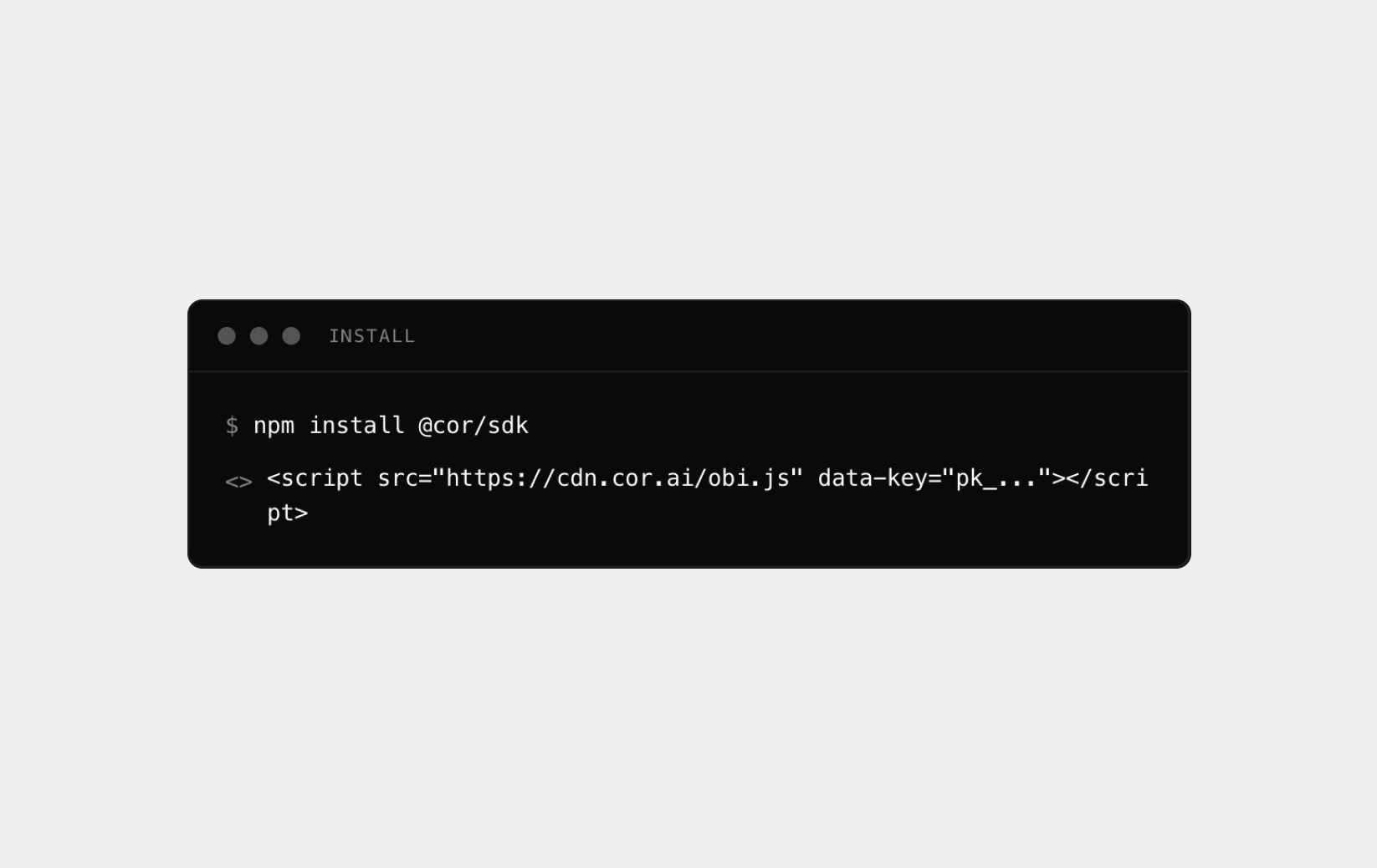
Drop in the Lifecycle Agent.
Your engineer adds the Cor script tag, passes the user variables you already have, and ships. That is the entire engineering surface area - there is no second sprint.
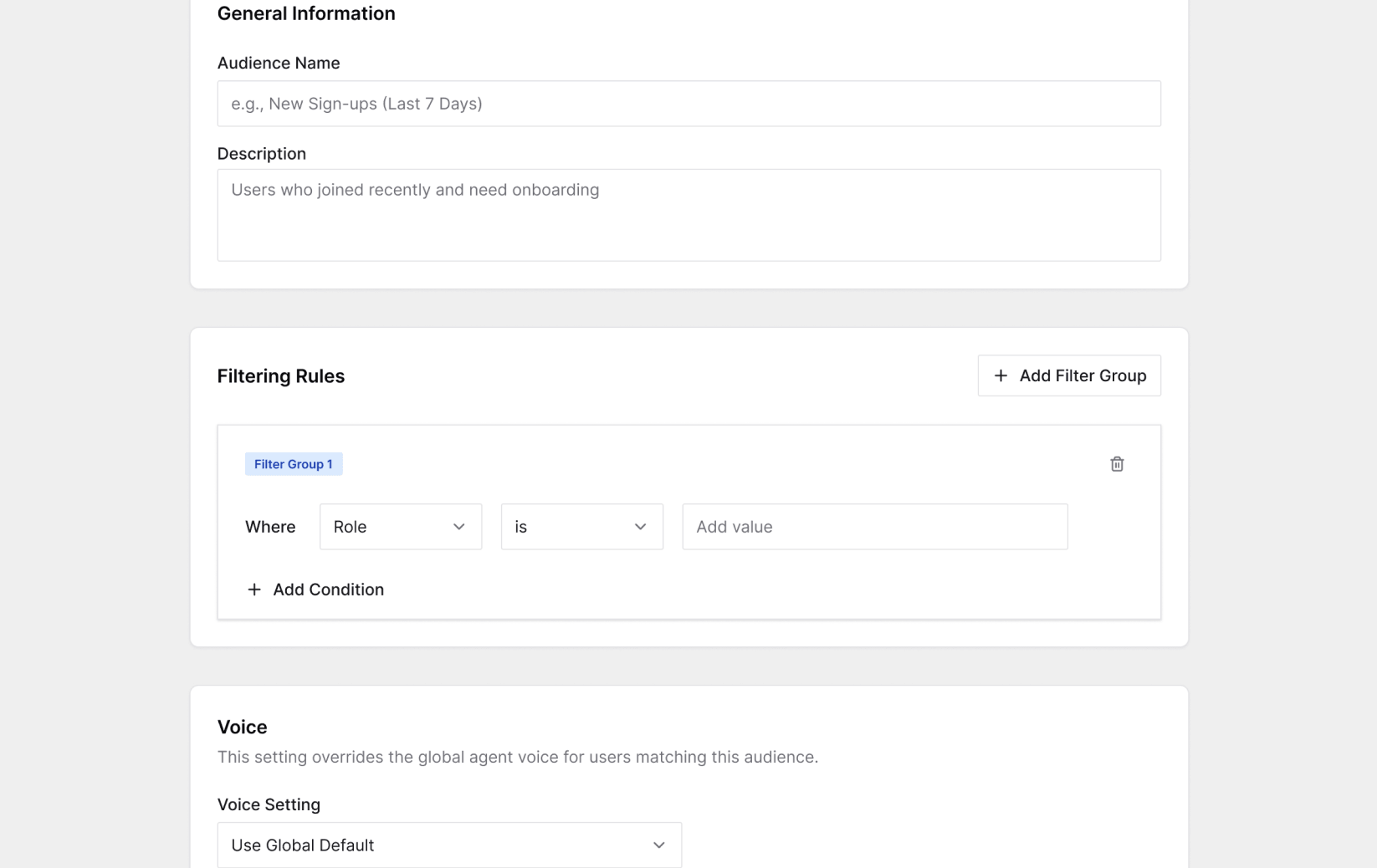
Configure in Cor Admin.
From here, your product and growth team takes over. Set the audiences, triggers, brand styling, and guardrails that govern each lifecycle stage above. No further code, no deploys, no engineering tickets.
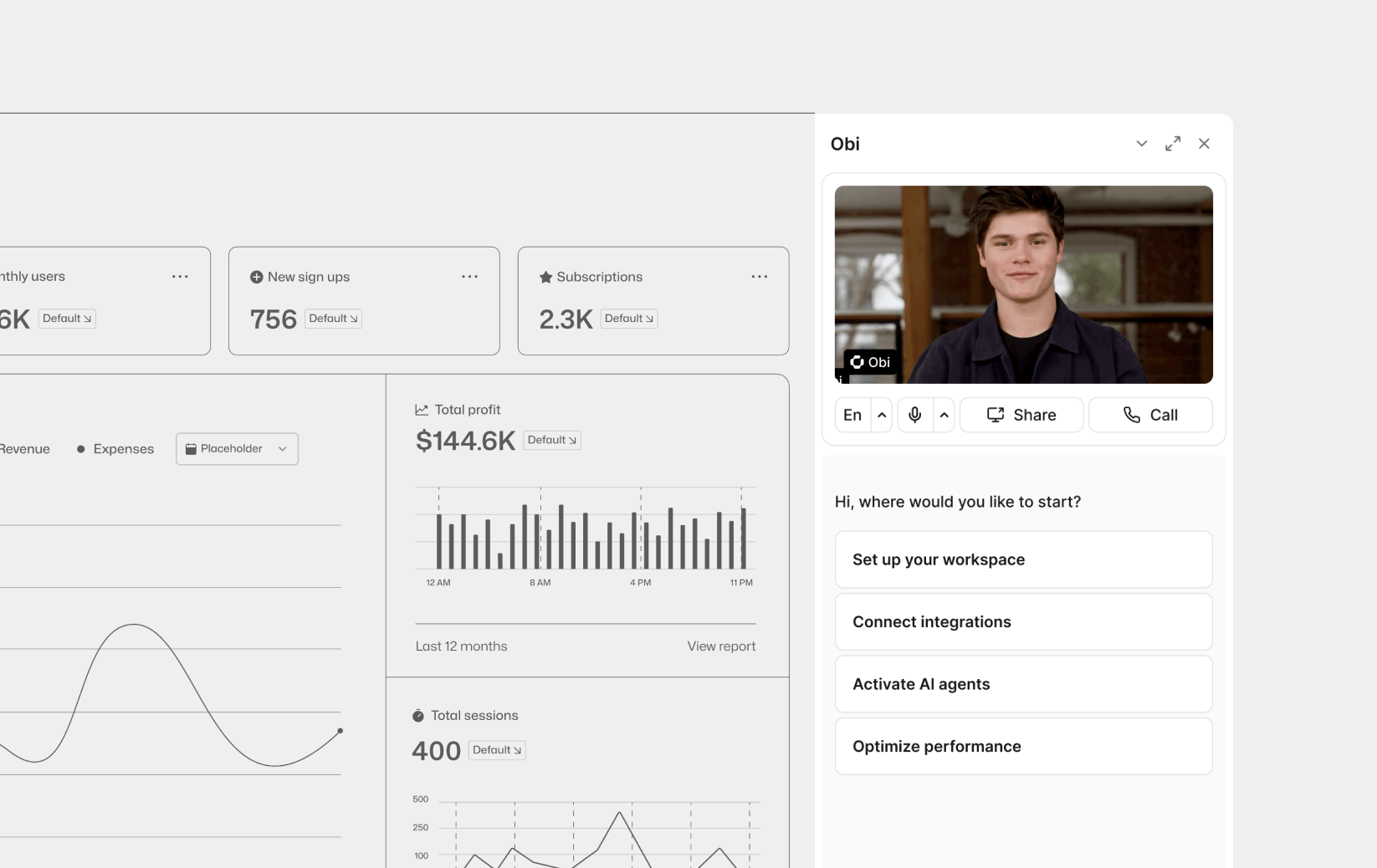
Go live, then iterate.
Obi appears inside your product. When you want a new entry point, a new audience, a refreshed prompt, or a brand-new lifecycle stage, your team ships it instantly from the portal. Your engineers stay focused on your core roadmap.
Your team runs this. Not your engineers.
Decide exactly who sees Obi at each lifecycle stage. Segment by plan, signup date, feature usage, geography, or any custom attribute your product already tracks. New trial users get a conversion-focused onboarding flow. Enterprise accounts get a structured walkthrough. Power users get expansion prompts. You build the rules; Obi delivers the right experience to the right person, automatically.
- Lifecycle targeting
- Custom segments
- Personalized flows
Pick the exact entry points for each stage - which screens, which buttons, which moments of user hesitation pull Obi into the conversation. Test and change them instantly without ever touching the codebase.
- Custom entry points
- Instant tweaks
- No deploys
Name the agent, choose its voice and avatar, set its tone and linguistic guardrails - all from Cor Admin. To your customer it looks and sounds like a native part of your product, not a third-party tool bolted on.
- Custom voice
- Native feel
- Brand-aligned
Write the prompts that govern Obi's behavior at each lifecycle stage, define the topics it must focus on, and tell it precisely when and how to hand a frustrated user to a human.
- Stage-specific scripts
- Topic guardrails
- Smart handoffs
Every Obi session generates a structured report in Cor Admin. Your team sees where users stall, what they ask, and which workflows fail - across onboarding, adoption, and support - without waiting weeks on the data team.
- Structured reports
- Stall detection
- Faster insights
Audiences
Decide exactly who sees Obi at each lifecycle stage. Segment by plan, signup date, feature usage, geography, or any custom attribute your product already tracks. New trial users get a conversion-focused onboarding flow. Enterprise accounts get a structured walkthrough. Power users get expansion prompts. You build the rules; Obi delivers the right experience to the right person, automatically.
- Lifecycle targeting
- Custom segments
- Personalized flows
Triggers and timing
Agent customization
Script and escalation rules
Session intelligence
Every capability above is managed entirely from Cor Admin. Your engineers set the foundation once; your team owns everything that follows.
Three options. Only one gives you speed and control.
You build the agent. You own everything that breaks.
An AI agent that reads a live screen, holds a conversation, and executes tasks is its own product. You need a dedicated AI engineering pod, frontier-model upkeep, and a roadmap that keeps pace with the models and your shipping product. Six months in, you are maintaining a second product instead of building your first.
Full control. Ruinous cost.
You bolt on someone else's agent. It stops at the surface.
A generic chatbot ships in a day, but it lives outside your product. It cannot read your UI, cannot drive workflows, and cannot go deep into the features your customers came for. The look and feel, the roadmap, the infrastructure - none of it is really yours.
Fast start. Their rules.
You ship Obi inside your product. Your team owns it.
Embed the Lifecycle Agent and Obi runs natively inside your product, on your brand, under your team's control through Cor Admin. We handle the model upkeep, the agent infrastructure, and the frontier evolution - your engineers stay on your roadmap. An embedded expert across the full customer lifecycle, in weeks not quarters.
Yours from day one.

Conversational AI Platform for Ecommerce
Accelerates onboarding for ecommerce merchants, handling platform and channel connections, support rules, and AI agent training.
Frequently asked questions.
Add the Cor script tag, write a few lines of initialization to pass the user variables you already have, and ship. Most engineers finish in a few hours. Everything beyond that lives in Cor Admin.
No. Obi reads the screen visually rather than depending on fragile DOM selectors, so moving a button or redesigning a menu does not break it. The only time you intervene is if you completely change a workflow, in which case you upload a new screen recording in Cor Admin to retrain it.
Yes. You control the UI, the branding, the name, and the voice. From your customer's perspective Obi is a native feature of your product, not a third-party tool dropped into the corner of the screen.
The same way as our standalone agent. Your team records a screen walkthrough of a workflow, or connects existing help docs and product material, and Cor turns that into a working session. The training is fully managed without engineering.
Yes. Audiences in Cor Admin let you scope Obi to any segment based on attributes you already pass us. Start at five percent of new trial users, measure the impact, and expand the lifecycle stages you cover from there. No code required for any of it.
That is up to you. A persistent button, a contextual prompt on a specific screen, a slide-out triggered by a user action - you design the entry point, Obi handles the session.
Yes. Obi is SOC 2 Type 2 certified. Screen sharing is always user-initiated and encrypted end-to-end. Privacy Mode redacts sensitive data on the fly and skips session recording entirely. Obi operates within the logged-in user's permissions and requires human-in-the-loop confirmation before major actions. Every session is logged in Cor Admin.
See it live inside a real product.
Book a demo and we will walk you through Obi running across a real onboarding, feature adoption, and support flow - and exactly what your team controls in Cor Admin.